
ALL YOUR BUSINESS CALLS IN ONE service
Manage your company’s calls from your phone, wherever you are. See who called, which colleagues are available and which calls are still waiting to be answered.
The Moontalk app is now available in the app stores!
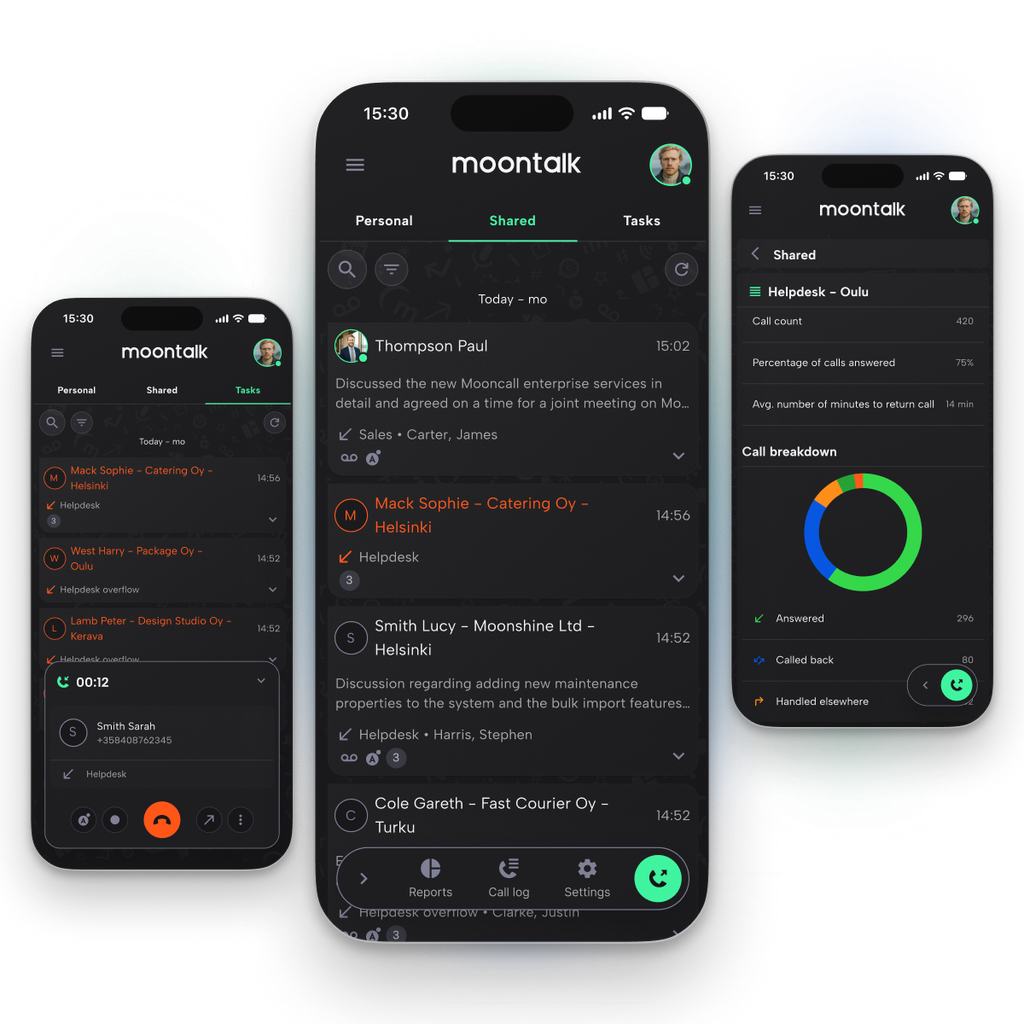
CONTROL OVER CALLS, CLARITY TO YOUR DAYS.
Your phone rings in the middle of a meeting. A colleague tries to get hold of you at lunch. By the end of the day, nobody is quite sure whether anyone called the customer back.
Great customer service starts with every caller reaching the right person and every missed call being followed up. When your phone system fits naturally into how your team works, customers notice the service, not the system. Moontalk works quietly in the background, helping your business stay reachable and your customers well looked after.
Your presence status lets colleagues know when you’re available, and calls are routed the way you’ve agreed. Missed calls are added to a single task list, so it’s always clear what still needs attention.
You don’t have to keep track of everything. Moontalk does it for you.
EVERYTHING YOU NEED
TO MANAGE YOUR CALLS
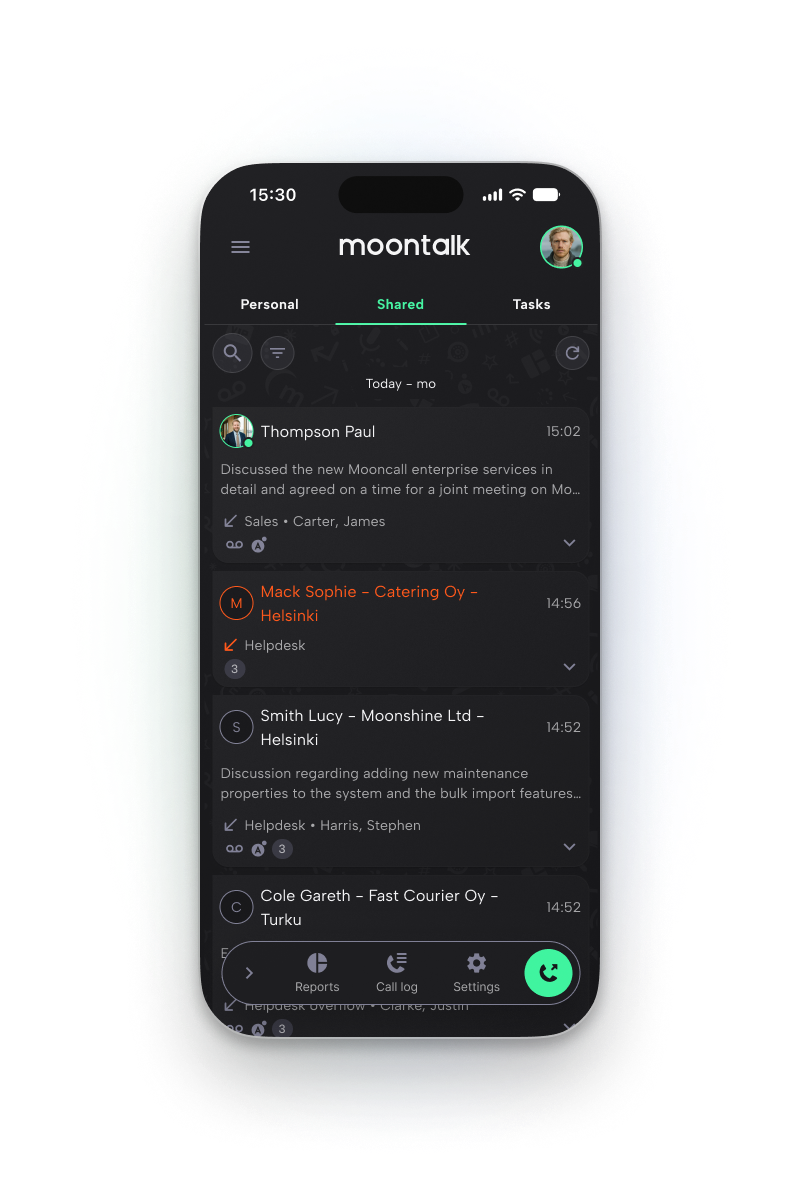
No more lost calls
Everyone on the team can see which calls are still waiting.
The Moontalk app brings your direct calls, your team’s queue calls and every missed call together in one place. Unanswered calls stay on the Tasks list until someone picks them up.
At a glance, you can see who called, which number or queue they rang, and whether someone has already called them back. If the caller gets through to a colleague directly later that day, the missed queue call is marked as handled automatically, so no customer gets called back twice.
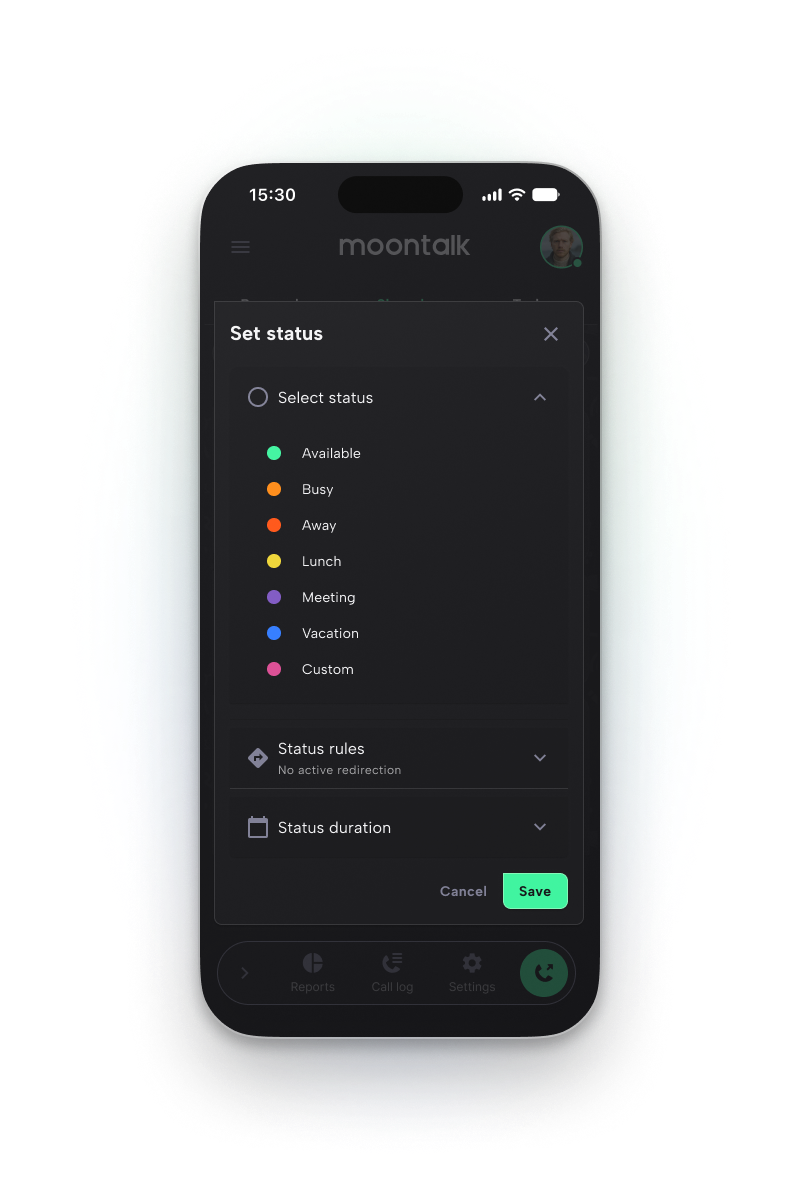
Available on your terms
Your presence status keeps colleagues informed and sends calls to the right place.
Set a status such as Lunch or In a meeting, along with how long it lasts. Calls are then routed accordingly, for example to a colleague or to a recorded message. Queue calls are paused while you’re away, so you can focus on the task in hand. Colleagues can see your status in the app, which means fewer wasted calls.
Schedule statuses in advance and keep track of them in the status calendar. When you’re on holiday, your out-of-office message tells callers when you’ll be back and offers to put work calls through to a number of your choice. Add key customers and contacts to your VIP list, and their calls will get through whatever your status.
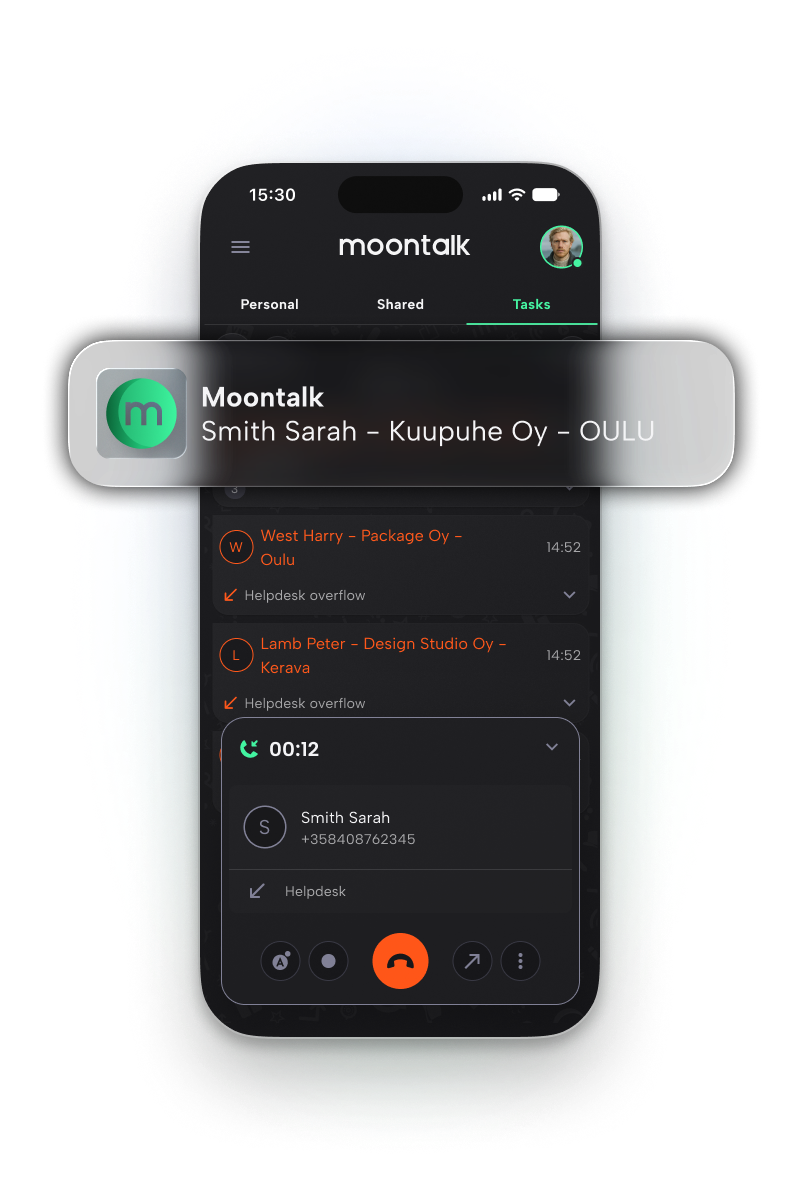
Ready for every call
Small things that save time every day.
Caller ID shows who’s calling and which company they’re from as soon as your phone rings, whenever their details are publicly listed. For queue calls, you’ll also see the queue name, so you know what the call is likely to be about before you answer.
Choose which number your contacts see when you call them, so callbacks come back to the right place. You can also transfer calls to a colleague or an external number in just a few taps, and check whether your colleague is free before you put the call through.
Your queues and reports, wherever you are
Run your customer service from your pocket
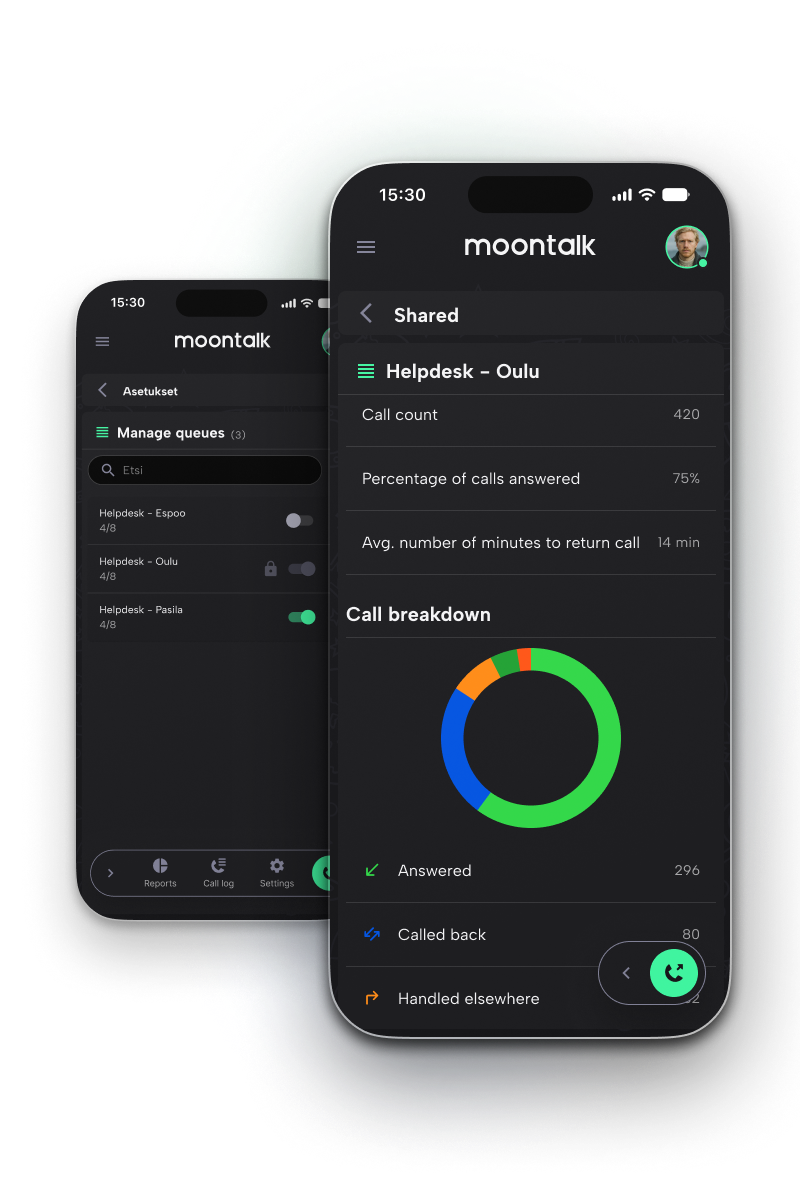
Add or remove queue members, change their queue status and switch time-based routing rules on or off, all from the app. You can also check how a queue is set to behave on any given day.
Reports show answer rates, average callback times and the times of day when calls are most often missed, so you know where extra resource is needed. Data is shown as figures and charts for any period you choose. Reporting is designed with employee privacy in mind: individual dialled numbers are never shown.
Vastaamaton puhelu ei enää unohdu
Koko tiimi näkee, mitkä puhelut odottavat vielä vastausta.
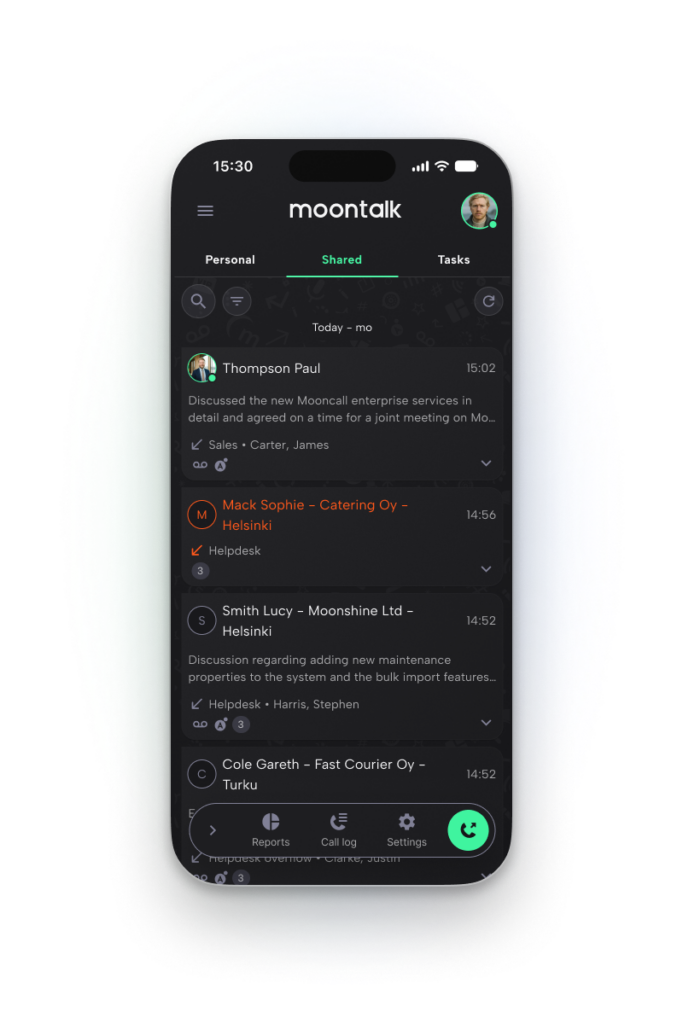
Moontalk-sovellus kokoaa omat, kaikki vastaamatta jääneet ja tiimin jonopuhelut yhteen paikkaan. Hoitamattomat puhelut odottavat Tehtävät-listalla, kunnes joku tarttuu niihin.
Näet yhdellä silmäyksellä, kuka soitti, mihin numeroon tai jonoon ja onko joku jo soittanut takaisin. Jos asiakas tavoittaa yrityksesi työntekijän saman päivän aikana, jonoon jäänyt puhelu kuittaantuu automaattisesti. Samalle asiakkaalle ei soiteta turhaan kahteen kertaan.
Tavoitettavissa silloin, kun itse haluat
Läsnäolotila kertoo kollegoille, missä mennään, ja ohjaa puhelut oikein.
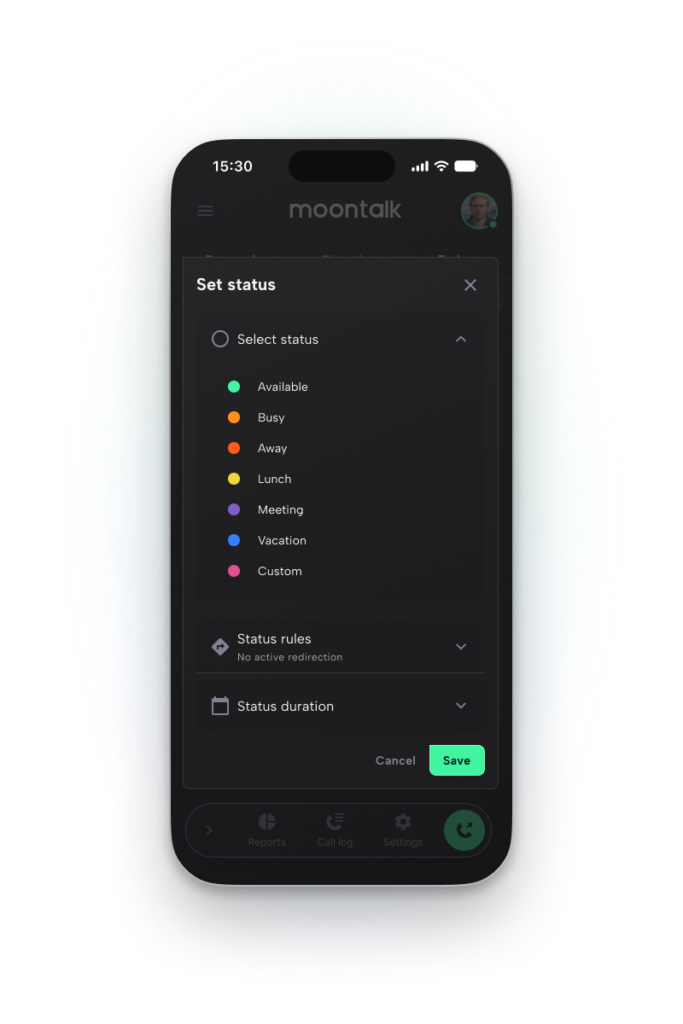
Valitse tila, kuten Lounaalla tai Kokouksessa, ja aseta sille kesto. Puhelut ohjautuvat tilan mukaisesti esimerkiksi kollegalle tai tiedotteeseen. Samanaikaisesti jonopuhelut hiljennetään, joten voit keskittyä tehtävääsi rauhassa. Kollegat näkevät tilasi sovelluksesta, joten aikaa säästyy turhilta soitoilta.
Ajasta tilat etukäteen ja tarkista ne tilakalenterista. Kun olet lomalla, lomavastaaja kertoo soittajalle paluuaikasi ja ohjaa työasioissa soittavat haluamaasi numeroon. Merkitse tärkeimmät asiakkaat ja yhteystiedot VIP-listalle, jolloin puhelut pääsevät läpi määritetystä tilasta huolimatta.
Valmiina vastaamaan puheluihin
Pienet asiat, jotka säästävät aikaa joka päivä.
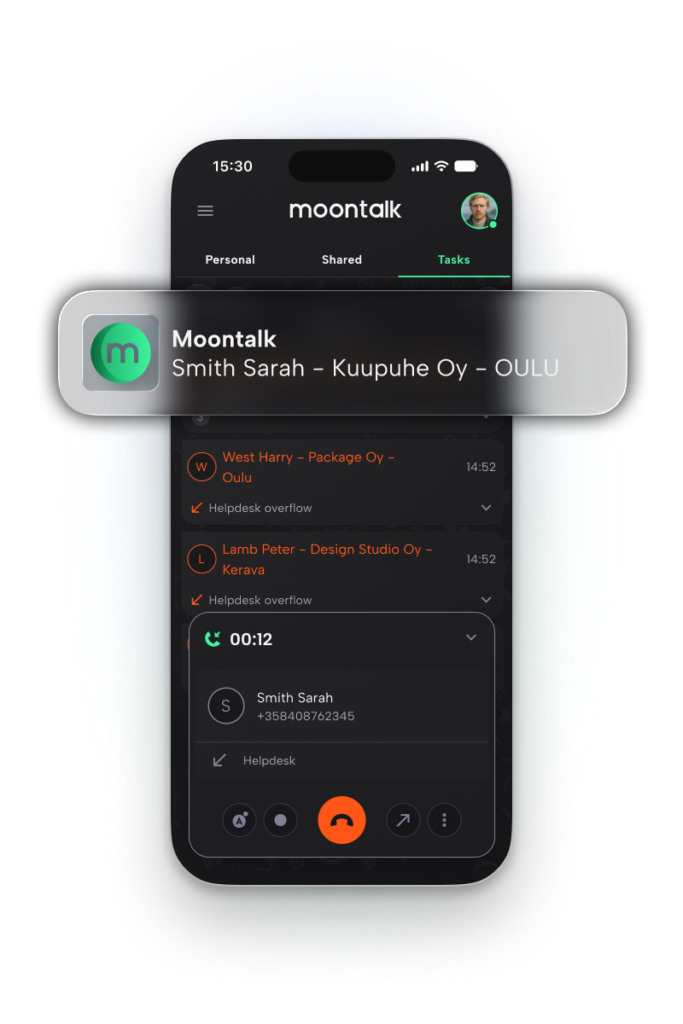
Soittajantunnistus kertoo jo puhelimen soidessa, kuka soittaa ja mistä yrityksestä, tietojen löytyessä numeropalvelusta. Jonopuheluissa näet myös jonon nimen, joten tiedät heti, mitä asia mahdollisesti koskee. Näin vastaat puheluun valmistautuneempana.
Valitse, mikä numero vastaanottajalle näkyy, jotta asiakkaan paluusoitto kohdistuu oikeaan paikkaan. Voit myös siirtää puheluita suoraan kollegalle tai talon ulkopuolelle muutamalla napautuksella. Ennen siirtoa näet myös, onko kollega vapaana vai varattuna.
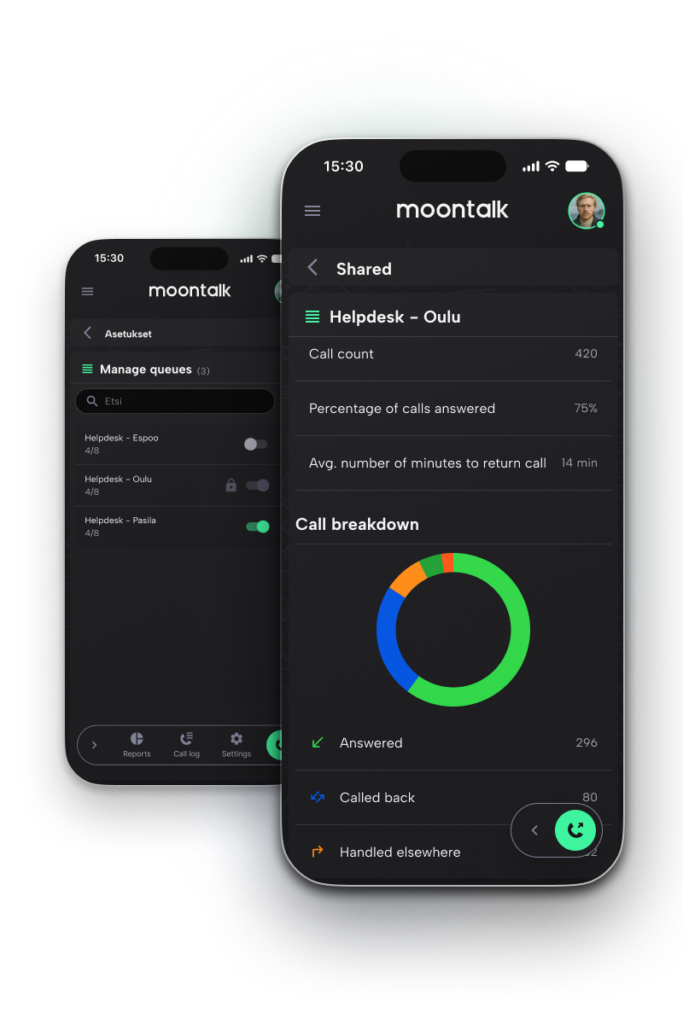
Jonot ja raportit kulkevat mukanasi
Johda asiakaspalvelua suoraan taskusta
Lisää tai poista jonon jäseniä, vaihda jonotiloja ja kytke valmiit aikaohjaukset päälle tai pois suoraan sovelluksesta. Voit myös seurata jonojen toimintaa haluamanasi ajankohtana koostetun raportin avulla.
Raporteista näet vastausprosentit, takaisinsoittoviiveet ja sen, mihin aikaan puheluita jää vastaamatta. Näin tiedät, mihin resursseja kannattaa kohdistaa. Tiedot näkyvät lukuina ja graafeina haluamaltasi aikaväliltä. Raportointi huomioi myös työntekijöiden tietosuojan, eikä yksittäisiä soitettuja numeroita näytetä.

“The onboarding process
Maria Hartonen, Telilän sähkötyö Oy
was incredibly easy. Communication was good,
and we got exactly what we ordered.”
“For a process to work consistently for every customer, you need to monitor and measure it. Moontalk gives us the tools to do that.”
Jussi-Matti Kuusi, Toyota Tammer-Auto
“Working with Moontalk is built on mutual trust and a shared understanding that the end customer is why we do what we do.”
Sami Asujamaa, 10+ Isännöinti
For users – Stay on top of your calls, wherever you are
See who called and whether the call has been dealt with. Your presence status tells colleagues when you’re available, while your most important callers can still get through.
For team leaders – The full picture in your pocket
Update queue members and switch routing rules on or off from the app. Reports show when calls tend to go unanswered, so you can put resource where it’s needed.
For IT and decision-makers – Easy to manage
Day-to-day changes are handled in the app, so routine admin doesn’t land on IT. Access is controlled through user roles.
ADMINISTRATION AND INTEGRATIONS
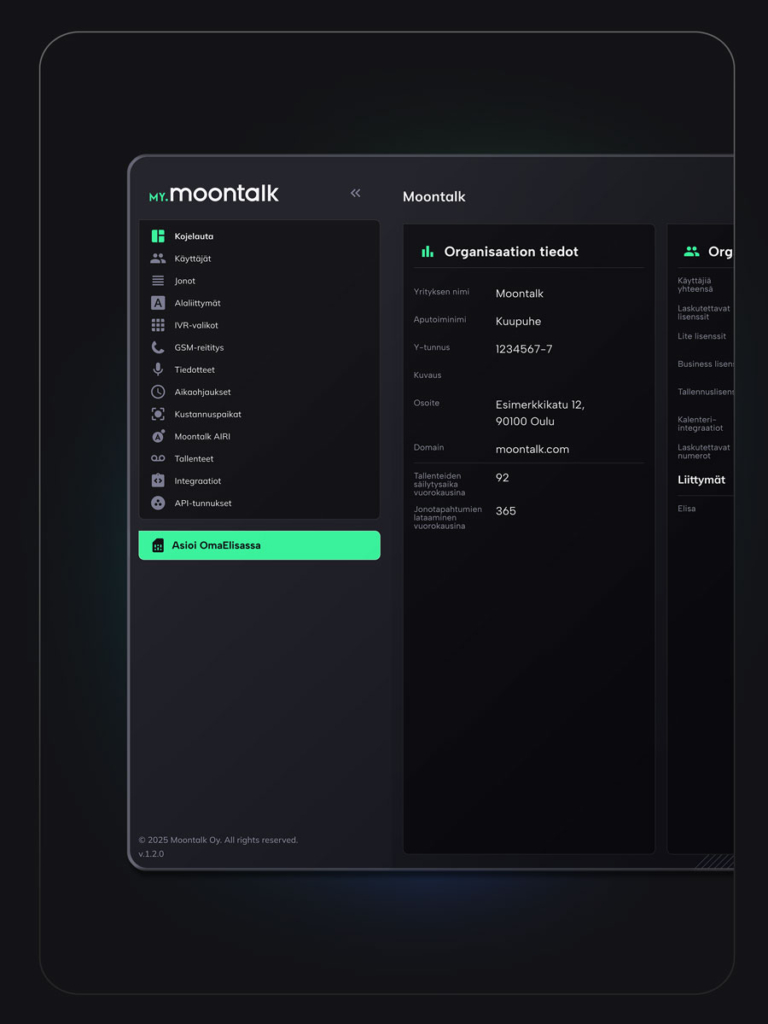
My.moontalk is a browser-based admin portal where your administrators manage user licences, call queue settings, time-based routing rules and access rights. Once everything is set up, day-to-day changes, such as updating queue members or switching routing rules on and off, can be made straight from the Moontalk app.
With Moontalk Access, the Moontalk app can also be integrated with your business systems. Call details and call notes created by Moontalk AIRI can be logged automatically against an account, contact or ticket, for example. This keeps customer records up to date, cuts down on manual admin and improves the quality of your records. Depending on the system, integrations can support other use cases too.
GETTING STARTED
Onboarding is done together with Moontalk’s experts.
1.
Contact us
Contact us to arrange a meeting.
2.
Meeting
One of our experts explores the right solution for your business
3.
Discovery
Together, we plan how each number and queue should work.
4.
Delivery
We build your environment and handle number porting.
5.
Guidance
Users receive guidance and training on the app.
Once you’re up and running, our helpdesk team is here to support you.
NPS 72
(Net Promoter Score n = 200)

you decide when
you are available.
With presence status and
call routing always to hand,
your customers’ calls
reach the right person,
without you having
to be on call all day.
FAQ
Who is the Moontalk app for?
Moontalk is a flexible phone system that scales easily for businesses of any size. It’s worth considering if being reachable is critical to your business, or if customer service and communication play a big part in your customer experience.
Is being reachable critical to your business, for example because of the product or service you offer?
Does the quality of your customer service and communication play a big part in your customer experience?
Is Moontalk AIRI included in the licence?
Moontalk AIRI is an optional add-on service, agreed separately and activated at your request.
Can call data be used in other systems?
Yes, through integrations. For example, caller ID can display information pulled from your other systems. Integrations are optional add-ons agreed separately, and we offer ready-made integrations with many widely used systems. Read more about our partners.
Where can I find user guides?
User guides are available on the Moontalk app guide page.
Contact us
Tell us how we can help, and we’ll be in touch shortly!
"*" indicates required fields